How to Choose a Walking Pad: Everything You Need to Know Before Buying
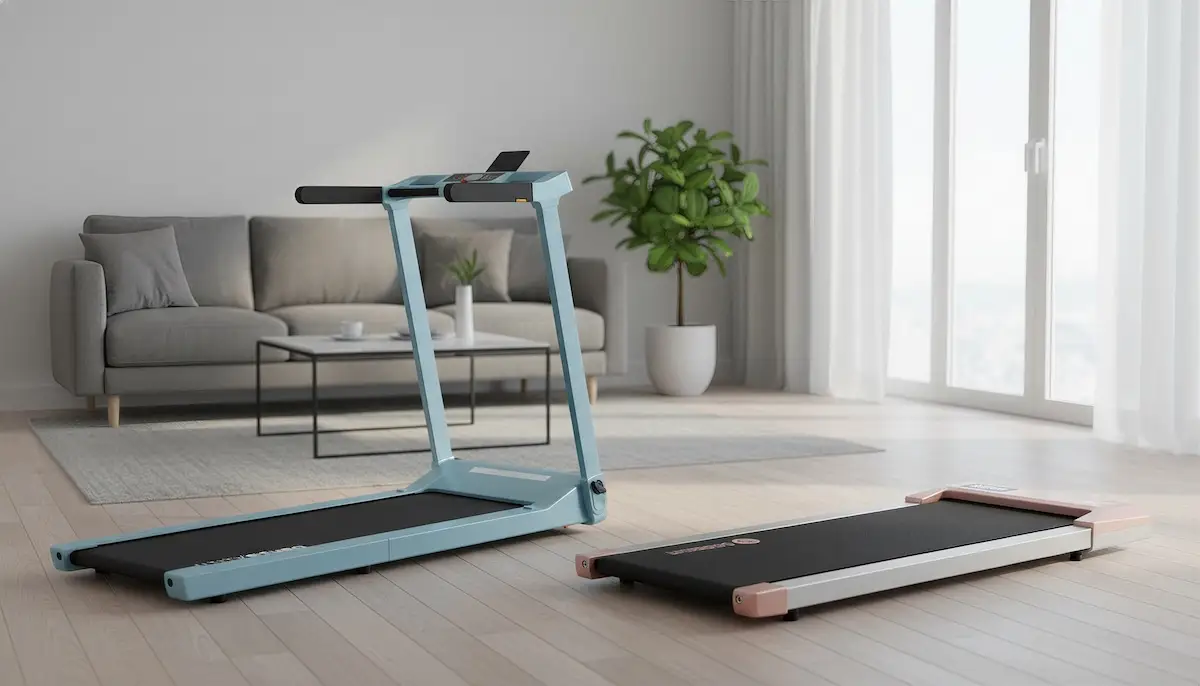
The walking pad—also known as an under desk treadmill or compact walking treadmill—has become one of the most popular home fitness devices in the United States. Designed to slide under a standing desk or tuck into a corner of your living room, these compact treadmills let you walk while working or binge-watching your favorite Netflix series. A simple way to combat sedentary behavior and hit the 150 minutes of weekly moderate activity recommended by the CDC (Centers for Disease Control and Prevention).
With so many models available—from entry-level options around $150 to premium units pushing $1,000—it can be overwhelming to know which walking pad to buy. This guide walks you through everything you need to consider, from your usage patterns and available space to your budget.
Why Choose a Walking Pad?
Combat the Sedentary Lifestyle
The average American spends more than 10 hours per day sitting —at the office, in the car, watching TV. Prolonged sitting is linked to increased risks of cardiovascular disease, type 2 diabetes, and chronic lower back pain. A walking pad offers a simple, affordable solution to stay active right from your home or office.
Walking pads integrate seamlessly into your daily routine. You can get light physical activity while handling simple tasks at your desk (emails, video calls, reading documents) or during leisure time (watching TV, scrolling social media, etc.).
Documented Health Benefits
Walking at 2 mph (a comfortable pace for working) burns 100 to 200 calories per hour depending on your weight—based on a MET value of 2.5 according to the Compendium of Physical Activities (Ainsworth et al.). One hour of slow walking adds roughly 5,000 to 6,000 steps to your daily count. According to a study from the NIH (National Institutes of Health), people who reach 8,000 daily steps reduce their mortality risk by 50% compared to sedentary individuals, and up to 65% with 12,000 steps.
Scientific studies confirm several key benefits:
- Blood Sugar: a meta-analysis (PMC/NIH) shows that walking 10-30 minutes after meals significantly reduces post-meal blood sugar spikes
- Cardiovascular: according to Harvard Health, walking 2.5 hours per week (21 min/day) reduces heart disease risk by 30%
- Mental Health: a systematic review (PMC/NIH, 2024) confirms that walking significantly reduces symptoms of depression and anxiety; reaching 7,500+ steps/day reduces the risk of depressive symptoms by 42%
- Productivity: a 12-month study (PMC/NIH) shows that work performance improves after adopting a treadmill desk, with no negative impact on cognitive abilities
Walking Pad vs Treadmill: What's the Difference?
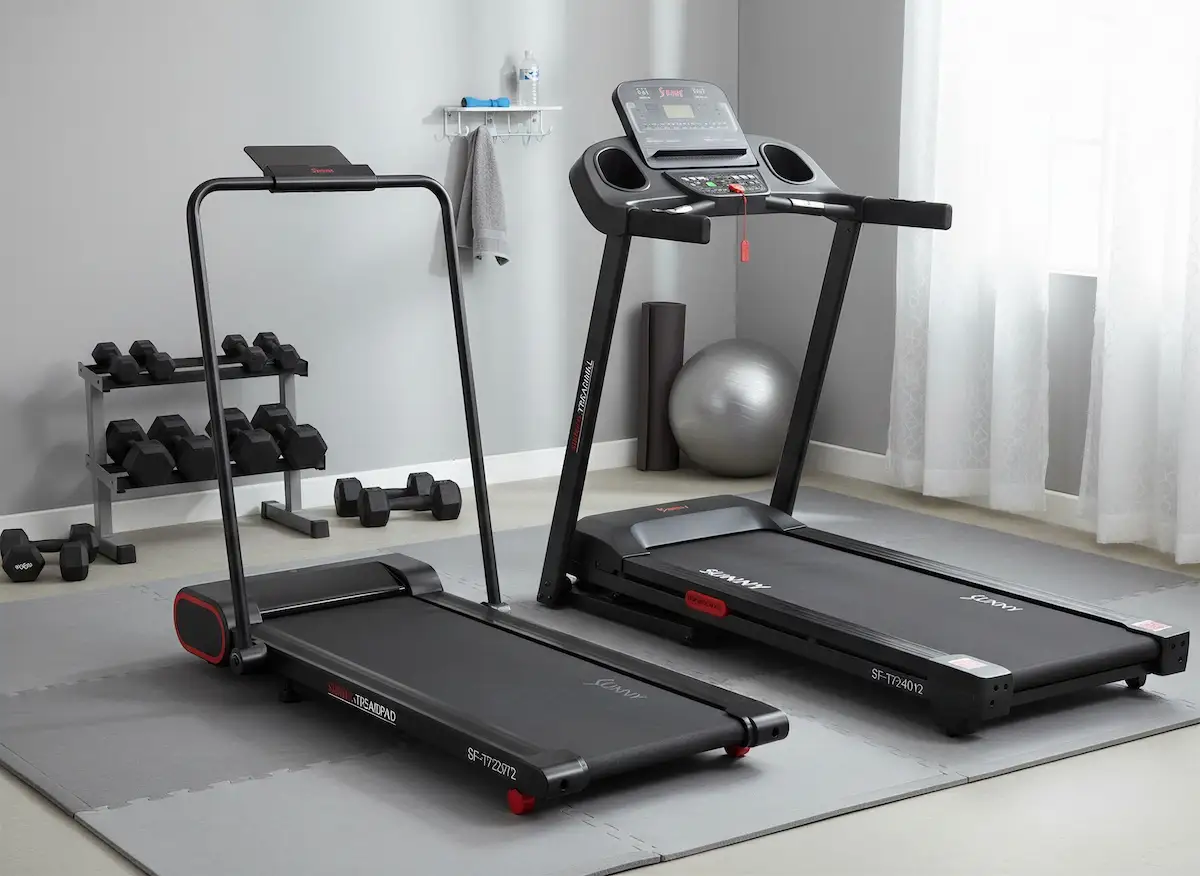
A walking pad isn't a miniature treadmill—it's a device specifically designed for light walking and under-desk use. When comparing walking pad vs treadmill, the features and intended uses are quite different:
| Feature | Walking Pad | Traditional Treadmill |
|---|---|---|
| Max Speed | 4-7.5 mph | 10-12+ mph |
| Dimensions | 50-60" x 20-25" | 70-85" x 30-36" |
| Weight | 40-70 lb | 150-350 lb |
| Handrails | None or foldable | Fixed, sturdy |
| Incline | Rare | Standard (0-15%+) |
| Average Price | $150-$600 | $450-$3,000+ |
| Primary Use | Under-desk walking | Running, cardio training |
| Storage | Foldable, slides under bed/desk | Bulky, even folding models |
Bottom Line: A walking pad is ideal for light activity integrated into daily life. Keep in mind that all treadmills also allow walking—if you want true versatility (walking AND running) or need advanced incline options, a traditional treadmill will generally be a better fit, even though it takes up more space.
Walking Pad Limitations vs Traditional Treadmill
A walking pad is an excellent tool for fighting sedentary behavior, but it has real limitations compared to a traditional treadmill. Before buying, make sure these constraints match your intended use.
Not Built for Running
Even walking pads advertising 7-8 mph max speeds are not designed for regular running. The shorter walking surface (35-50" vs 55-60" on a treadmill), lack of sturdy handrails, and less powerful motors (1-3 HP vs 3-4+ HP) limit their use to walking and occasional light jogging. If you plan to run regularly, a traditional treadmill will be safer and more durable.
Incline Options Are Rare
Most walking pads are flat (0% incline). A few high-end models offer automatic incline up to 12-14%, but that's the exception. On traditional treadmills, 0-15% incline is standard even on entry-level models. Incline lets you intensify your workout, simulate hill walking, and better target glutes and hamstrings.
Weight Capacity May Be Insufficient
Many budget walking pads support only 220-265 lb maximum. Mid-range and premium models go up to 300-400 lb. By comparison, traditional treadmills typically support 300-400 lb minimum, with commercial models going up to 500 lb. If you're close to the weight limit, choose a model with comfortable headroom or consider a treadmill.
Durability and Warranty
Walking pads are generally built for moderate home use (1-2 hours/day). Motors and components are sized for this type of usage. Warranties are often shorter (1-2 years) than on treadmills (2-5 years motor, sometimes lifetime on the frame). For intensive or professional use, a commercial-grade treadmill will be more appropriate.
No Advanced Training Programs
Most walking pads offer basic features: speed display, distance, calories, sometimes a companion app. Built-in training programs, automatic incline synced with virtual routes (like iFIT, Zwift), or HD touchscreens are rare and reserved for premium models. If interactivity and guided programs matter to you, a connected treadmill will be more suitable.
A walking pad is ideal if: you primarily want to walk while working, have limited space, want an easy-to-store device, and don't need to run or have significant incline. For anything else, consider a traditional treadmill.
Walking Pad Options and Features
All walking pads share the same basic concept: a compact belt for walking. What sets them apart are the available features. Here are the main options you'll find.
Walking Pads with Incline
Some mid-range and premium models include adjustable incline up to 14% on the most advanced units. Incline lets you intensify your workout without increasing speed—perfect for burning more calories while staying at a work-friendly pace.
Health Bonus: according to a study published in Gait & Posture (PubMed), incline walking starting at 10% significantly reduces stress on the knee joint, which can benefit people with osteoarthritis or those in rehabilitation.
Recommended Walking Pads with Incline
| Model | Brand | Price |
|---|---|---|
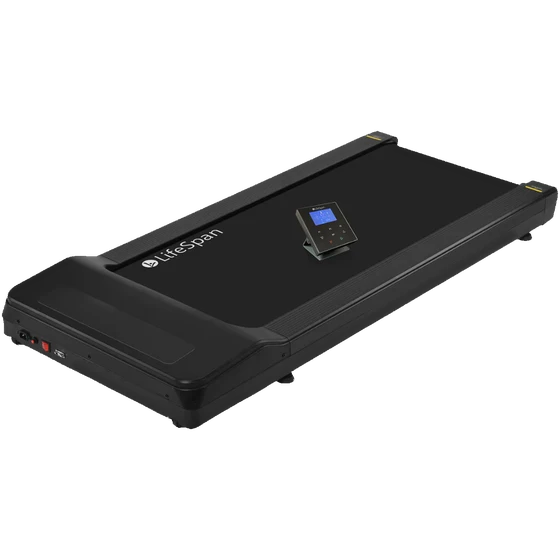 LifeSpan TR1200 GlowUp LifeSpan TR1200 GlowUp
|
LifeSpan | $1,299.00 |
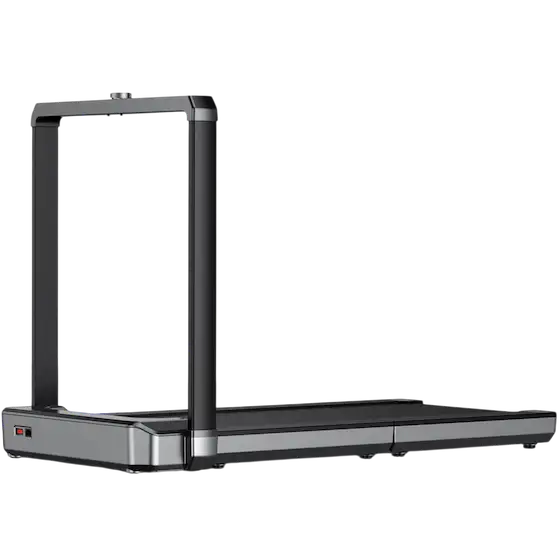 WalkingPad X25 WalkingPad X25
|
WalkingPad | $999.00 |
Hybrid Walking Pads (2-in-1)
Hybrid models support both slow walking and light jogging, with max speeds of 6.5 to 9 mph (compared to 4-5 mph for standard walking pads). They often include enhanced cushioning systems to absorb jogging impact. Useful if you want occasional cardio outside of work hours without buying a second machine.
Hybrid walking pads can work for occasional light jogging, but they'll quickly feel inadequate for anyone wanting to run regularly, even at a slow pace (6 mph and above).
Recommended Hybrid Walking Pads
| Model | Brand | Price | Category |
|---|---|---|---|
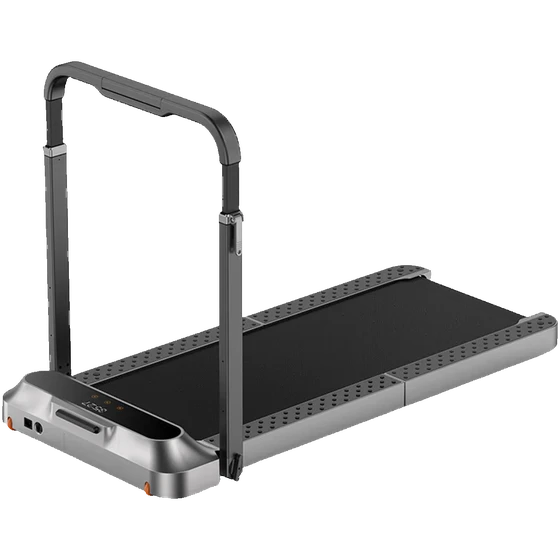 R2 R2
|
WalkingPad | $699.00 | Mid-Range |
|
X25
|
WalkingPad | $999.00 | High-End |
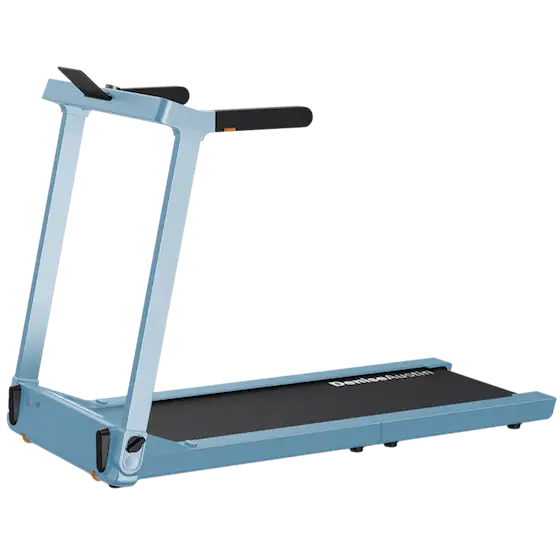 Denise Austin 2.0 Denise Austin 2.0
|
WalkingPad | $799.00 | High-End |
Walking Pads with Handrails
Some models include a handrail, usually foldable. Essential for seniors, beginners, or anyone with balance concerns. The handrail also provides added security at higher speeds.
Warning: Handrails on some models can be flimsy and aren't always designed for heavy leaning. If a handrail is important to you, go for a mid-range or premium model, or consider a traditional treadmill for better stability.
Recommended Walking Pads with Handrails
| Model | Brand | Price | Category |
|---|---|---|---|
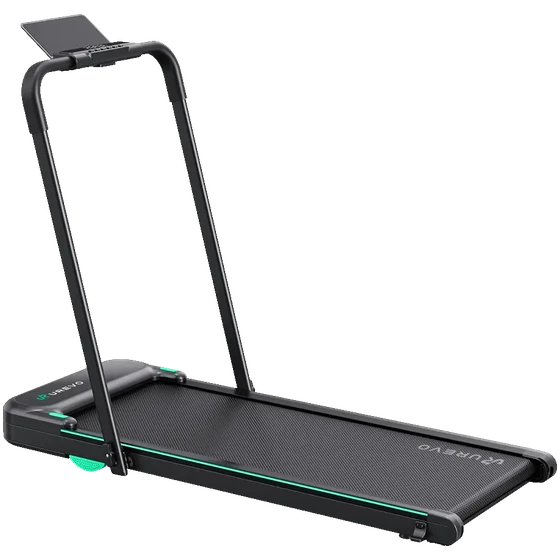 Strol 2E Strol 2E
|
UREVO | $289.99 | Mid-Range |
|
R2
|
WalkingPad | $699.00 | Mid-Range |
|
X25
|
WalkingPad | $999.00 | High-End |
Foldable Walking Pads
Most walking pads fold in half for storage. Some ultra-slim models (5-6" thick) slide directly under a bed or couch without folding. Check the folded dimensions if storage is a priority.
Recommended Foldable Walking Pads
| Model | Brand | Price | Category |
|---|---|---|---|
 CyberPad CyberPad
|
UREVO | $404.99 | Mid-Range |
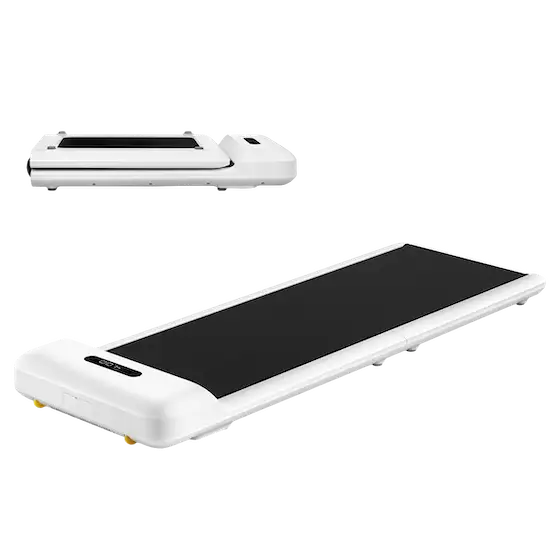 WalkingPad WalkingPad
|
C2 | $399.00 | Entry-Level |
|
Strol 2E
|
UREVO | $289.99 | Mid-Range |
Common Mistakes to Avoid Before Buying
Before finalizing your purchase, avoid these common pitfalls that could turn your investment into a source of frustration:
- Focusing only on price—A $150 walking pad with a 90-day warranty will cost more than a $300 model with a 2-year warranty if you have to replace it after 18 months. Warranty length is often a good indicator of quality.
- Ignoring belt width—This is the #1 comfort factor. A belt that's too narrow (14-15") will have you constantly walking on the edges, which is uncomfortable, potentially dangerous, and will quickly discourage regular use. Remember: when using a walking pad, your eyes are usually on something else, and small missteps are common.
- Forgetting to measure desk height—A walking pad adds 4-6" to your height. Make sure your desk goes high enough to keep your elbows at 90° while walking.
- Underestimating noise level—If you take video calls, a 60 dB machine will be audible to your colleagues. Aim for under 50 dB for discreet professional use.
- Overlooking weight capacity—Always plan for at least a 25 lb buffer. If you weigh 180 lb, choose a model that supports at least 220 lb to protect the motor and extend the machine's lifespan.
- Choosing a model without handrails when you have balance issues —If you have balance concerns or are a beginner, a handrail isn't optional. Better to have one you don't use than to risk a fall.
- Not checking desk compatibility—Measure the available space under your desk and the required depth. Some walking pads exceed 55" long and won't fit in all setups.
- Ignoring warranty terms—Aim for at least 2 years on the frame and 1 year on the motor. A short warranty (90 days) often signals questionable quality.
- Buying an unknown brand—After 1-2 years, replacement parts (belt, bearings) become impossible to find for obscure brands. Stick with established manufacturers that have accessible customer service.
- Expecting true versatility—While some walking pads are hybrids that allow light jogging, they're still not really designed for running. If you're thinking about running in the short or medium term, get a traditional treadmill, even an entry-level one—it'll be more effective.
Technical Specs to Compare
Before choosing your walking pad, compare these key features that will determine your comfort and the machine's durability.
Belt Size: The #1 Comfort Factor
Belt size is the most underrated criterion—yet the most important for daily comfort. A belt that's too narrow creates a "walking on a tightrope" feeling that requires constant focus on foot placement. Avoid this if you plan to work while walking.
Belt Width
The golden rule: never buy a walking pad with a belt under 15" wide. Ideally, aim for 16"+ for minimal comfort and 18"+ if you have a larger build or wear shoes bigger than US 11.
| User Profile | Minimum Width | Recommended Width |
|---|---|---|
| Smaller build (<5'4") | 15" | 16"+ |
| Average build (5'4"-5'10") | 16" | 17"+ |
| Larger build (>5'10") | 17" | 18-20"+ |
| Large shoe size (>US 11) | 18" | 20"+ |
Belt Length
Belt length affects your natural stride. Your walking stride is roughly 40-50% of your height—but you can't safely use the 6-8" at each end of the belt. Result: the actual usable length is less than the advertised specs.
| Your Height | Minimum Length | Optimal Length |
|---|---|---|
| <5'4" | 40" | 44"+ |
| 5'4" - 5'10" | 44" | 47"+ |
| 6'0" - 6'2" | 45" | 47-49" |
| 6'2" - 6'4" | 47" | 49-50" |
| >6'4" | 49" | 50"+ |
Tip: If you're over 6', look for models with wide belts like the LifeSpan TR1200 GlowUp or the WalkingPad X25, which have belt widths over 19".
Motor and Speed Range
The motor is the heart of a walking pad. Its quality determines durability, noise level, and ability to maintain consistent speed under load.
Motor Power: Watch for Misleading Specs
Manufacturers often display impressive power figures (2.5 HP, 3.0 HP), but you need to distinguish between two very different measurements:
- CHP (Continuous Horsepower)—Power the motor can sustain continuously. This is the meaningful metric.
- Peak HP—Brief, unsustainable power spike. Often used to inflate specs.
Technical reality: A standard US electrical outlet can't deliver more than ~1.5 HP continuously. Claims of "3.0 HP continuous" are physically impossible unless the manufacturer means Peak HP. A well-designed 1.2 CHP brushless motor will outperform a brushed motor advertised at "3.0 HP" with a 90-day warranty.
Motor Type: Brushless vs Brushed
Motor type is one of the most important criteria for durability and noise comfort, yet it's rarely explained clearly.
Brushed motors use traditional technology. They rely on carbon pieces called "brushes" that rub against the rotor to transmit electricity. This constant friction generates wear, heat, noise, and produces fine carbon dust that accumulates inside the motor. Result: after 12-24 months of regular use, the motor becomes noisier, less powerful, and often overheats (a telltale burning smell).
Brushless motors (BLDC)—literally "without brushes"—use an electronic controller instead of physical brushes. Without mechanical friction, there's no contact wear, no carbon dust, less heat. The motor stays quiet and performs well much longer—the only wear component remaining is the bearings, which typically last 5+ years.
| Criteria | Brushless (BLDC) | Brushed (standard) |
|---|---|---|
| Lifespan | 3-5x longer | 1-2 years (regular use) |
| Noise Level | ~45 dB (conversation level) | 55-65 dB (increases with wear) |
| Energy Efficiency | 15-20% more efficient | Standard |
| Maintenance | Nearly none | Brushes need replacement |
| Price | Higher | Lower |
| Signs of Wear | None (until bearing wear) | Noise, burning smell, power loss |
Our recommendation: Always prioritize a brushless motor. The upfront cost is more than offset by durability and quiet operation. Budget models with brushed motors often develop problems after 12-18 months of regular use (carbon dust buildup, overheating, increasing noise).
It's often hard to identify motor type. Manufacturers don't always specify it. However, walking pads with brushless motors always mention it in the specs—it's a selling point. If nothing is specified about motor type, assume it's a standard brushed motor. Another clue: a noise level under 40 dB strongly suggests a brushless motor.
Recommended Brushless Motor Walking Pads
| Model | Brand | Price |
|---|---|---|
|
CyberPad
|
UREVO | $404.99 |
|
WalkingPad
|
C2 | $399.00 |
|
R2
|
WalkingPad | $699.00 |
Speed Range
Depending on your intended use, here are the speed ranges to consider:
- Under-desk work: 1.0-2.0 mph (a 12-month study showed employees naturally settle around 2.0 mph during cognitive tasks)
- Leisurely walking: 2.0-3.0 mph
- Brisk walking: 3.0-4.0 mph
- Light jogging (hybrid models): 4.0-7.5 mph
For office-only use, a walking pad capped at 4 mph is plenty. Hybrid models (up to 7.5-9 mph) are only useful if you also plan to jog outside of work hours.
Minimum Speed
An often-overlooked criterion that's important for beginners and seniors: the minimum speed. Ideally, the walking pad should start at 0.5 mph or less for gradual adaptation. Some models start at 0.6 mph, which is still acceptable. Avoid models that start directly at 1.0 mph—too fast for safe onboarding.
Noise Level: Critical for Office Use
If you plan to use your walking pad during video calls or in a shared environment, noise level is a deciding factor. Here's the reference scale:
| Level (dB) | Equivalent | Recommended Use |
|---|---|---|
| <40 dB | Quiet library | Ideal for video calls, open offices |
| 40-50 dB | Normal conversation | Private office, home |
| 50-60 dB | Background washing machine | May disturb in open offices |
| >60 dB | Vacuum cleaner | Not recommended for office |
Reference: Premium models with brushless motors like the WalkingPad C2, A1 Pro, or Maksone Wood Walking Pad operate between 30-45 dB at normal speed (2 mph). The WalkingPad X21 maintains 45 dB even at max speed.
Quiet Technologies to Look For
- Brushless motor (BLDC)—Eliminates mechanical friction, drastically reduces noise
- Multi-layer cushioning system—Absorbs vibrations and footstep noise
- Quality belt—Less friction = less noise
- Acoustic insulation—Some premium models include dual insulation layers
Factors That Increase Noise
Manufacturer-stated noise levels can vary significantly in real-world conditions based on:
- Speed—The faster you go, the louder it gets
- Your weight—More load = harder-working motor
- Surface under the walking pad—Uneven or resonant floors amplify noise
- Wear—Walking pads often get noisier over time (especially brushed motors)
Footstep Noise vs Motor Noise
Critical point often ignored: Your footstep noise is usually LOUDER than motor noise. Manufacturer specs often measure the motor alone, not stride impact. This noise depends on:
- Your shoes (hard soles = louder)
- Your walking technique (heavy stride vs light)
- Your weight
Solutions: Wear soft-soled shoes or walk in socks, adopt a light stride, and add a protective mat under the walking pad. This reduces noise transmitted to the floor and protects your flooring from vibrations.
Weight Capacity and Build Quality
Maximum weight capacity varies significantly across price ranges. Here's what you can expect:
| Price Range | Typical Capacity | Examples |
|---|---|---|
| $100-200 | 220-265 lb | Entry-level Amazon models |
| $200-400 | 265-300 lb | UREVO, WalkingPad C2 |
| $400-600 | 300-350 lb | WalkingPad A1 Pro, Spacewalk E4 |
| $600+ | 350-400 lb | LifeSpan TR5000, Merach W50 |
Reference: Experts recommend a minimum capacity of 300 lb for traditional treadmills. That's a good benchmark to keep in mind for walking pads too.
The +50-100 lb Rule
Experts recommend choosing a model with capacity 50 to 100 lb above your body weight. Why?
- Durability—A less-stressed motor lasts longer
- Stability—Less vibration and belt deformation
- Safety margin—Walking impact adds dynamic load beyond your static weight
Example: If you weigh 200 lb, aim for a model supporting at least 265 lb (ideally 300 lb) for optimal durability.
Machine Weight
The walking pad's own weight affects stability and portability:
- <40 lb—Easy to move and store, but less stable (may shift slightly during use)
- 40-60 lb—Good balance between portability and stability, ideal for most users
- >60 lb—Very stable and solid, but hard to move alone (look for transport wheels)
Warranty and Customer Service: Often Overlooked
Warranty length is one of the best indicators of a walking pad's quality and durability. A manufacturer confident in their product offers a longer warranty. Conversely, a 90-day warranty is a red flag.
Recommended Warranty Length
Expert advice: Only buy models with at least a 2-year warranty. Budget models recently offering 2+ year warranties signal improved quality (largely due to brushless motor adoption).
What the Warranty Does (and Doesn't) Cover
Read the fine print carefully. Warranties are often segmented:
- Frame/structure—Usually the longest coverage (sometimes lifetime on premium models)
- Motor—Check the specific duration, may differ from frame
- Wear parts (belt, bearings)—Often excluded or covered for a shorter period (6-12 months)
- Electronics/console—Varies by brand, typically 1-2 years
Customer Service and Parts Availability
A walking pad is only useful if you can repair it. After 1-2 years, replacement parts (belt, bearings, controller) for obscure brands often become unavailable.
Established brands with accessible US customer service:
- WalkingPad (KingSmith)
- UREVO
- LifeSpan
- Sunny Health & Fitness
- DeerRun
Before buying, verify that the manufacturer offers replacement parts on Amazon or their official website. This is a good indicator of long-term support.
Safety Features
Walking pads are generally safe, but certain safety features are essential. Here's what to check before buying.
Emergency Stop Button
Essential on any model. This button must be easily accessible —on the remote, console, or directly on the machine. Test it immediately upon delivery to familiarize yourself with its location.
Safety Key (Safety Clip)
Like traditional treadmills, some walking pads include a safety clip that attaches to your clothing. If you stumble or move away, the clip detaches and immediately stops the machine. Highly recommended for seniors and beginners.
Auto Stop Features
Several automatic stop mechanisms exist:
- Presence sensor—Detects if you leave the belt and automatically pauses. Handy if you need to step away briefly.
- Inactivity timeout—Stops after a few seconds without detected movement
- Motor overload protection—Cuts power if the motor overheats
Handrails
Recommended for: seniors, pregnant women, people with balance issues, and complete beginners. Several types exist:
- Fixed—Sturdier but less compact
- Foldable—Practical compromise (2-in-1 models), allows folding the rail for under-desk use
- Removable—Maximum flexibility
Warning: According to Consumer Reports testing, handrails on entry-level models are often flimsy. Don't lean heavily on them—they serve as a reference point, not a weight support.
Non-Slip Surface
Belt texture is essential for preventing slips. Check user reviews that specifically mention grip, especially when sweating or wearing socks.
Child Lock
If you have children at home, this feature prevents accidental startup. The walking pad can only be activated after disabling the lock (usually via a code or button sequence).
Console, Apps and Connectivity
Your walking pad's interface determines your daily user experience. Options range from simple LED consoles to sophisticated connected apps.
Basic LED Console
Most walking pads include a built-in LED console displaying essential metrics in real time:
- Current speed (in mph)
- Elapsed time (minutes:seconds)
- Distance traveled (in miles)
- Estimated calories (approximation based on time and speed)
- Step count (on some models)
For desk use where you walk while working, this basic console is often sufficient. You don't need to constantly watch stats—an occasional glance is enough.
Bluetooth Connectivity and Apps
Connected models offer more detailed tracking via dedicated apps. Each brand typically offers its own app:
| Brand | App | Compatibility |
|---|---|---|
| WalkingPad (KingSmith) | KS Fit | iOS, Android, Apple Health, Google Fit |
| UREVO | UREVO App | iOS, Android, Apple Health |
| DeerRun | FitShow | iOS, Android |
| Goplus / Costway | Varies by model | iOS, Android (some models) |
Typical app features:
- Detailed session history (duration, distance, average speed)
- Custom goals (daily steps, weekly distance)
- Guided workout programs
- Sync with Apple Health or Google Fit to centralize your health data
- Speed control directly from the app
Note: App quality varies considerably. Check reviews on the App Store or Google Play before buying. Some apps are well-rated (KS Fit: 4.5 stars), while others receive mixed reviews for interface or connection reliability.
Remote Control
For desk use, a remote is nearly essential. It lets you adjust speed without taking your eyes off work or reaching down to the console.
Typical remote functions:
- Start/Stop
- Increase/decrease speed in increments (usually 0.5 mph)
- Auto mode (on some models)
Before buying, check:
- Included or optional?—Most models include one, but some budget models sell it separately
- Connection type—Infrared (requires aiming) or Bluetooth (more convenient)
- Battery life—Usually powered by CR2032 coin cell, which lasts several months
Alternative: Some users prefer controlling their walking pad via smartphone app rather than the remote, especially if they already have their phone nearby on the desk.
Desk Compatibility and Ergonomics
If you plan to use your walking pad under a standing desk, compatibility and ergonomics are crucial points to verify BEFORE buying. A bad setup can cause shoulder, neck, or wrist pain.
Desk Height: The Essential Calculation
A walking pad adds 4 to 6" to your normal standing height (machine thickness + shoe soles). Your desk must therefore go high enough to maintain an ergonomic posture.
Calculation formula:
Ideal desk height = Your elbow height (standing) + Walking pad height (4-6")
| Your Height | Elbow Height (approx.) | Desk Height with Walking Pad |
|---|---|---|
| 5'2" | ~38" | 42-44" |
| 5'6" | ~40" | 44-46" |
| 5'10" | ~43" | 47-49" |
| 6'0" | ~45" | 49-51" |
| 6'2" | ~47" | 51-53" |
Pre-purchase check: Measure your current desk's maximum height. Most standing desks go up to 44-50". If you're over 5'10", verify your desk reaches at least 50"—otherwise you'll work with elbows too high, causing shoulder tension.
Optimal Ergonomic Setup
Walking while working doesn't exempt you from ergonomic rules. In fact, constant movement makes proper positioning even more important to avoid muscle strain.
The 4 golden rules:
- Screen at eye level—The top edge of your screen should be at eye level or slightly below. Use a monitor arm or stand to adjust height.
- Elbows at 90-100°—Your forearms should be parallel to the floor or slightly angled down. If your elbows are higher than your wrists, the desk is too low.
- Neutral wrists—Aligned with your forearms, not bent up or down. A negative-tilt keyboard (slightly angled forward) can help.
- Eyes straight ahead—Avoid looking down at the screen. This is the #1 cause of neck pain when working from home.
Tip: Start walking at a slow speed (1.0-1.5 mph) during the first few weeks. Once adapted, you can gradually increase while maintaining good posture.
Compatible Desks: What to Look For
Not all standing desks are suited for walking pad use. Here are the essential criteria:
- Motorized height adjustment—Essential for easily switching between sitting, standing, and walking positions. Manual (crank-style) desks are too cumbersome for daily use.
- Sufficient height range—Minimum 28-48" to cover most users. Tall people (>6') should aim for 28-52".
- Stability—The desk shouldn't wobble when you walk. Prioritize models with T-shaped legs or dual motors, which are more stable than C-shaped legs.
- Memory presets—Lets you save preferred positions (sitting, standing, walking) and return with a single button press. Typically 3-4 presets available.
- Sufficient depth—Minimum 24" to comfortably fit a monitor, keyboard, and mouse with room for your forearms.
Recommended US brands: Uplift, Fully Jarvis, FlexiSpot, Vari, IKEA BEKANT/RODULF. These brands offer stable models with good height ranges at various price points.
Dimensions, Footprint and Storage
One of the main advantages of a walking pad is its compact size. But dimensions vary significantly between models—measure your available space before buying.
Typical Dimensions
Here are average dimensions for walking pads on the US market:
| State | Length | Width | Height |
|---|---|---|---|
| Unfolded (in use) | 50-60" | 20-27" | 4-6" |
| Folded (storage) | 25-35" | 20-27" | 5-10" |
| Ultra-compact (flat design) | 50-55" | 20-22" | 4-5" |
Tip: Measure the space under your desk or bed if you plan to store the walking pad there. Allow 1-2" clearance for easy insertion and removal.
Folding Options
Several folding designs exist, each with advantages:
- Fold-in-half—The most common design, popularized by WalkingPad. The machine folds in the middle, halving its length. Convenient for storing in a closet or against a wall. Examples: WalkingPad C2, UREVO Strol.
- Flat/slim design—No folding, but minimal height (4-5") allowing it to slide directly under a bed, couch, or desk. Ideal if you lack vertical storage space. Examples: Sperax Walking Pad, some Goplus models.
- Vertical storage—Some models can be stored standing up when folded, taking minimal floor space. Verify the model is designed for this (stability).
Transport Wheels
Walking pads weigh between 40 and 70 lb. If you plan to move the machine regularly (storing after each session, moving between rooms), transport wheels are essential.
Points to check:
- Presence and location—Most models include wheels at the front or back. Some budget models lack them—check before buying.
- Wheel quality—Hard plastic wheels can scratch some floors (hardwood, tile). Prefer rubber or polyurethane wheels.
- Lift system—A built-in handle or grip notch makes tipping for rolling easier.
Alternative: If your model doesn't have wheels, you can buy a rolling cart separately ($20-40 on Amazon) or use furniture moving sliders.
Safety Clearance Around the Walking Pad
Beyond machine dimensions, plan clearance space for safe use:
- Behind: 20-24"—Critical safety zone. In case of balance loss or emergency stop, you need to be able to step back without obstacles.
- On the sides: 6-12"—Enough to mount/dismount comfortably and avoid hitting furniture while walking.
- In front: depends on your setup—If using a desk, it serves as a natural reference point. Otherwise, minimum 12" recommended.
- Ceiling height—Often forgotten! Add 5-6" to your height to check you won't hit a low light fixture or exposed beams.
Ideal configuration: Plan a total space of roughly 7' x 4' (85" x 48") for comfortable use with all safety margins.
What Budget for a Walking Pad?
The US walking pad market covers a wide price range, from under $150 to over $800 for the most advanced models. Here's what you can expect in each segment.
Entry-Level: Under $200
Walking pads under $200 are suitable for occasional use (a few hours per week). They offer basic functionality, but with compromises on durability and comfort.
Typical characteristics:
- Limited weight capacity: typically 220-265 lb
- Narrower belt (14-16") and shorter (40-44")
- Brushed motor (noisier, faster wear)
- Short warranty: often 90 days to 1 year
- Lightweight build: 30-45 lb
Who's it for? Occasional users, smaller individuals (<180 lb), or those wanting to test the concept before investing more.
Common brands: Goplus, Sperax (entry), CITYSPORTS, some DeerRun models.
Recommended Entry-Level Walking Pads
| Model | Brand | Price |
|---|---|---|
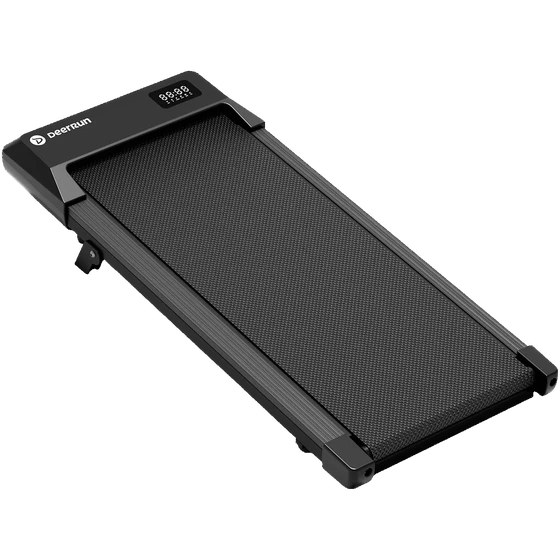 Q2 Urban Q2 Urban
|
DeerRun | $169.00 |
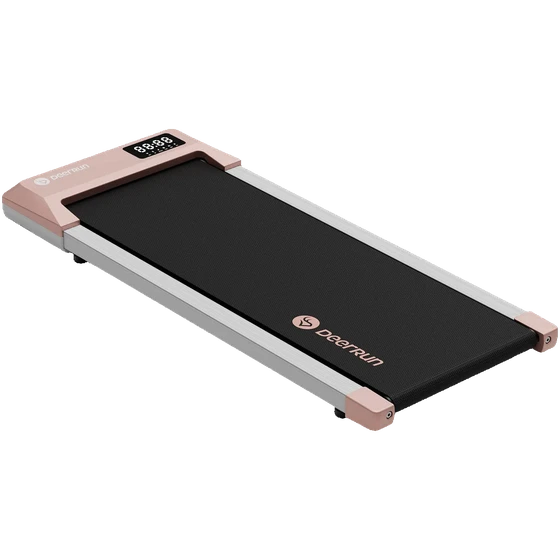 Q1 Urban Plus Q1 Urban Plus
|
DeerRun | $189.00 |
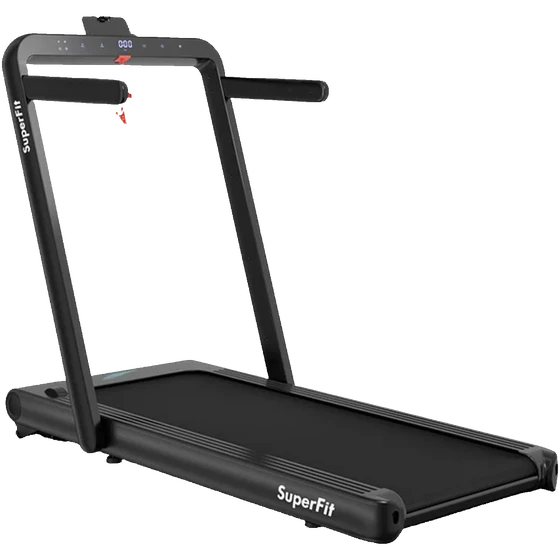 SuperFit 2.5HP Touch SuperFit 2.5HP Touch
|
Goplus | $159.99 |
Mid-Range: $200-$400
This is the most popular segment, offering the best value. These models suit regular use (daily) and deliver a good balance of features and durability.
Typical characteristics:
- Weight capacity: 265-300 lb
- Standard belt size: 16-17" x 44-47"
- Brushless motor on most recent models
- Warranty: typically 2 years
- Bluetooth connectivity and dedicated app
- Remote included
Who's it for? Most users—remote workers, moderate daily use, average build.
Recommended brands: WalkingPad (C2, P1), UREVO (Strol, 2S), DeerRun (Q1 Plus), Merach.
Recommended Mid-Range Walking Pads
| Model | Brand | Price |
|---|---|---|
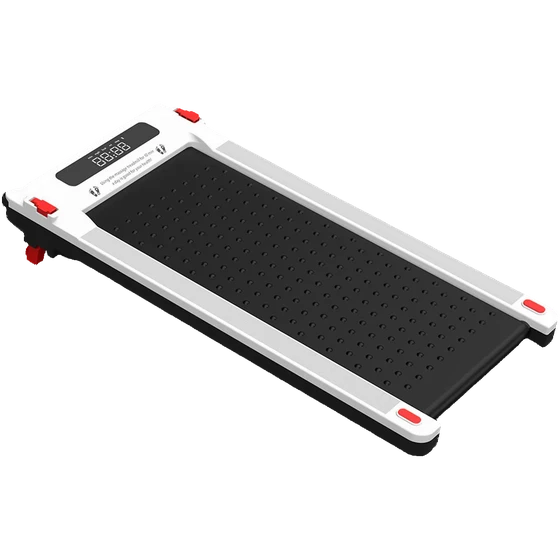 Massage Step Massage Step
|
WalkingPad | $299.00 |
|
WalkingPad
|
C2 | $399.00 |
|
Strol 2E
|
UREVO | $289.99 |
High-End: $400+
Premium walking pads offer premium build quality, advanced features, and superior durability. A justified investment for intensive use or specific needs (larger build, absolute quiet, incline).
Typical characteristics:
- High weight capacity: 300-400+ lb
- Wide and long belt: 17-21" x 47-55"
- Powerful brushless motor (quiet and durable)
- Advanced options: incline, premium cushioning
- Warranty: 2-5 years (frame sometimes lifetime on premium models)
- Apps with training programs
- Very low noise level (<45 dB)
- High max speed on some models (up to 9 mph)
Who's it for? Intensive users, larger individuals (>250 lb) or taller people (>6'2"), those who want absolute quiet, features like incline, or want to invest once for several years.
Recommended brands: WalkingPad (A1 Pro, X21, X25), UREVO (CyberPad, Strol 2S Pro), LifeSpan (TR1200, TR5000), Sunny Health & Fitness.
Recommended High-End Walking Pads
| Model | Brand | Price |
|---|---|---|
|
CyberPad
|
UREVO | $404.99 |
|
R2
|
WalkingPad | $699.00 |
|
TR1200 GlowUp
|
LifeSpan | $1,299.00 |
Summary Table by Budget
| Criteria | Entry (<$200) |
Mid-Range ($200-400) |
Premium ($400+) |
|---|---|---|---|
| Recommended Use | Occasional | Moderate daily | Intensive |
| Weight Capacity | 220-265 lb | 265-300 lb | 300-400+ lb |
| Belt Width | 14-16" | 16-17" | 17-21" |
| Motor Type | Brushed | Brushless | Premium Brushless |
| Noise Level | 55-65 dB | 45-55 dB | <45 dB |
| Typical Warranty | 90 days - 1 year | 2 years | 2-5 years |
| Expected Lifespan | 1-2 years | 2-4 years | 4-6+ years |
Our recommendation: For most users, the $200-$400 segment offers the best value. Spending under $200 may seem economical short-term, but replacing it after 12-18 months will cost more than a quality initial purchase. Beyond $400, the investment is only justified for specific needs (larger build, intensive use, incline).
Which Walking Pad Based on Your Profile?
Depending on your situation, certain features matter more than others. Here are our recommendations by user profile.
Best Walking Pad for Remote Work
Best under desk treadmill for home office—Quiet operation and convenience are essential for daily use while working.
Priorities:
- Noise level <50 dB (essential for video calls)
- Compact size and easy storage
- Remote included (adjust speed without leaving work)
- Brushless motor (quiet and durable)
Recommended budget: $250-$450—The mid-range segment offers the best balance of quiet, durability, and price.
Best Walking Pad for Seniors
Priorities:
- Sturdy handrails (foldable or fixed)
- Low minimum speed (ideally 0.5 mph)
- Wide belt for stability (17"+)
- Easily accessible emergency stop
- Quality non-slip surface
Recommended budget: $300-$500—Models with quality handrails are typically found in the mid-to-high range segment.
Important: Consult your doctor before starting if you have heart, balance, or joint issues.
Best Walking Pad for Weight Loss
Priorities:
- Durability (extended daily use)
- Incline if possible (increases calories burned by 30-50%)
- Calorie tracking via app
- Weight capacity with comfortable margin
Recommended budget: $350-$600—Incline and robust construction are found in the premium segment.
Quick calculation: 1 hour of walking at 2 mph = ~150-200 calories. With 5% incline, count ~200-280 calories.
Best Walking Pad for Small Spaces
Best compact treadmill for apartments—If you live in a small space, compactness becomes the #1 criterion.
Priorities:
- Compact folding (fold-in-half or flat design)
- Minimal folded height (to slide under bed/couch)
- Transport wheels included
- Light weight (<50 lb) for easy handling
Recommended budget: $200-$400—Compact foldable models are available from mid-range up.
Dimensions to check: Folded, expect about 25-30" x 20-22" x 5-10". Measure available storage space before buying.
Best Walking Pad for Tall Users (6'+)
Priorities:
- Long belt: 47"+ minimum, 50"+ ideal
- Wide belt: 17"+ minimum, 19"+ ideal
- High weight capacity (often correlated with build quality)
- Solid, stable construction
Recommended budget: $400-$700—Extra-wide and extra-long belts are primarily available at the premium level.
Warning: Many compact models have 40-44" belts that will be uncomfortable for users over 6'.
Summary Table by Profile
| Profile | Priority Criteria | Budget |
|---|---|---|
| Remote Work | Noise <50 dB, remote, compactness | $250-$450 |
| Seniors | Handrails, low min speed, stability | $300-$500 |
| Weight Loss | Incline, durability, calorie tracking | $350-$600 |
| Small Space | Compact folding, wheels, light weight | $200-$400 |
| Tall Users (>6') | 47"+ x 17"+ belt, robust build | $400-$700 |
When a Walking Pad Isn't the Best Choice
A walking pad is excellent for light walking, but it doesn't suit all uses. Here are situations where another solution would be better:
- You want to run—Walking pads are designed for walking (max 4-7 mph). For regular running, a traditional treadmill with a longer belt and better cushioning will be more appropriate.
- Severe balance issues—If you have significant balance problems, walking pad handrails may not be enough. Consult a healthcare professional and consider a medical-grade treadmill with fixed, sturdy rails.
- Very tight budget (<$150)—Walking pads under $150 often have limited durability. If budget is constrained, outdoor walking is free and offers the same health benefits.
- Looking for a full-body workout—A walking pad only works the lower body. For a complete workout, an elliptical or rowing machine will be more effective.
- Apartment with noise-sensitive neighbors—Even quiet models (40-45 dB motor) generate footstep noise transmitted through the floor. If you live upstairs, check the exact noise level and invest in a good protective mat.
- Need significant incline—Very few walking pads offer incline, and those that do are limited to 5-15%. If incline is a priority, a traditional treadmill offers more options (up to 40% on some models).
Maintenance and Care
Regular maintenance significantly extends your walking pad's lifespan. Here are the essential steps.
Regular Maintenance (Weekly)
- Clean the belt—Wipe a dry microfiber cloth across the surface to remove dust and debris. Avoid chemicals that can damage the coating.
- Dust the chassis—Clean the edges and under the console. Accumulated dust can block motor ventilation.
- Check for debris—Make sure no objects (wires, small items, hair) are caught under the belt or in the mechanism.
Periodic Maintenance (Every 3-6 Months)
- Belt lubrication—Apply special treadmill silicone lubricant between the belt and deck. Follow manufacturer instructions for amount and frequency.
- Self-lubricating models—Some premium walking pads include automatic lubrication systems. Check your model's specs.
- Recommended lubricant—Use only 100% pure silicone oil. Never use household oil, WD-40, or any other unsuitable lubricant that would damage the belt.
Safety Checks (Monthly)
- Power cord—Visually inspect for any signs of wear, rubbing, or damage. Replace immediately if damaged.
- Belt tension—The belt should be neither too loose (slipping) nor too tight (accelerated wear). Consult the manual for adjustment.
- Stabilizer feet—Check they're properly in place and the machine is stable and level.
- Installation surface—Always place the walking pad on a flat, hard surface. Avoid thick carpets that can destabilize the machine or block ventilation.
Conclusion: How to Make the Right Choice
To choose the ideal walking pad, focus on these priority criteria in order:
- 2+ year warranty—This is the best indicator of quality and durability. Avoid models with less than a year of warranty.
- Appropriate belt width—Minimum 16" for acceptable comfort, 17-18"+ if you have an average to larger build.
- Noise level based on use—<50 dB if you plan to use it during video calls or in an open office.
- Weight capacity + margin—Plan at least 50 lb above your weight to protect the motor.
- Motor type—Choose brushless for quiet operation and durability, especially if you plan daily use.
- Realistic budget—The $200-$400 segment offers the best value for most users.
- Desk compatibility—Verify your desk goes high enough (add 5-6" to your standing elbow height).
- Handrails if needed—Essential for seniors, beginners, or people with balance issues.
In summary: A mid-range walking pad ($250-$400) with brushless motor, 2-year warranty, and 16-17" belt will suit 80% of users.
FAQ
What belt width for US size 11 shoes?
For US size 11 (EU 44), a 17"+ belt is recommended to walk comfortably without risking stepping on the edges. Ideally, aim for 18"+ if your budget allows. Avoid models with 15-16" belts—they'll be too narrow for your shoe size.
Can you run on a walking pad?
Not recommended on standard models (max speed 4 mph). Their belt is too short and cushioning insufficient to absorb running impact. Hybrid models (2-in-1) allow light jogging up to 7-9 mph with the handrail raised. For regular running, a traditional treadmill remains the best option.
How many calories do you burn on a walking pad?
At 2 mph (comfortable pace for working), expect roughly 100-200 calories per hour depending on your weight. A 150 lb person burns ~120 kcal/h, a 200 lb person ~160 kcal/h. In one hour of slow walking, you'll accumulate about 5,000-6,000 steps. With incline (if available), add 30-50% more calories burned.
Walking pad or under-desk bike?
Both have different advantages:
- Walking pad—More steps, more natural movement, burns more calories, engages more of the body. But bulkier and potentially noisier.
- Under-desk bike—More compact, quieter, less tiring, can be used sitting. But fewer calories burned and no step counting.
Choose based on your goals: walking pad to maximize physical activity, bike for a discreet, low-effort option.
Is a walking pad noisy on video calls?
It depends on the model. Walking pads with brushless motors under 45 dB are generally imperceptible to your colleagues, especially if you use a headset with a directional mic. Check specs and user reviews that specifically mention video calls. Tip: walk at low speed (1-1.5 mph) during calls—less motor and footstep noise.
What speed for comfortable working?
Optimal speed depends on the type of task:
- 1-2 mph—Focused work (writing, coding, video calls)
- 2-3 mph—Light tasks (reading, watching videos, emails)
- 3+ mph—Generally too fast to focus effectively
Most regular users settle around 1.5-2 mph for desk work.
Do I need a protective mat under the walking pad?
Recommended but not mandatory. A protective mat ($30-60) offers several benefits: protects floors from scratches and marks, reduces noise transmitted to the floor (important in apartments), absorbs vibrations, and improves machine stability. Choose a thick mat (6mm+) in PVC or rubber, slightly larger than your walking pad.
Walking pad with or without handrails?
Without handrails—More compact, ideal for under-desk use where you already have the desk as a reference point. Easier storage.
With handrails—Safer for seniors, beginners, or people with balance issues. Essential if you plan to use jogging mode on hybrid models.
Our advice: 2-in-1 models with foldable handrails offer the best of both worlds—handrail available when needed, folded away for desk use.
How long can you walk per day?
There's no strict limit—walking is a low-impact activity. However, start gradually: 30-60 minutes per day the first week, then increase based on comfort. Some users walk 4-6 hours per day at the office without issues. Listen to your body: take breaks if you feel fatigue, foot pain, or back discomfort. Alternate with standing or sitting periods.
Are walking pads suitable for tall people (>6')?
Yes, but choose the right model. Look for a belt that's 47"+ long (50"+ ideal) and 17"+ wide (19"+ ideal). Compact models with 40-44" belts will be uncomfortable and limit your natural stride. Note: many popular walking pads are designed for average-height users and aren't suitable for people over 6'.
What's the minimum warranty for a walking pad?
Aim for at least 2 years of warranty. This is the best indicator of expected quality and durability. Reputable brands (WalkingPad, UREVO, LifeSpan, Sunny Health) typically offer 2-5 years. Avoid models with less than a year of warranty—it's often a sign of questionable quality or a manufacturer not confident in their product.
How long does a walking pad last?
Lifespan depends on tier and usage intensity:
- Entry-level (<$200)—1-2 years with moderate use
- Mid-range ($200-$400)—2-4 years with regular use
- Premium ($400+)—4-6+ years, or more with good maintenance
Regular maintenance (weekly cleaning, lubrication every 3-6 months) significantly extends lifespan regardless of tier.